Custom packaging involves more than printing graphics and applying surface finishes.
Some packaging effects depend on specialized processes that change the structure, texture, material surface, or optical behavior of the package. These techniques do not always fit neatly into conventional categories such as offset printing, lamination, foil stamping, or embossing.
Die cutting can transform a flat printed sheet into a functional package or create precisely shaped openings. Flocking adds a soft fiber surface. Laser engraving removes or alters material without conventional printing ink. Holographic effects interact with light to create changing visual patterns, while 3D lenticular printing can produce depth, motion, or image changes as the viewing angle changes.
These processes serve very different purposes, so the right question is not simply:
“Which special process looks the most premium?”
It is:
“What visual, tactile, structural, or interactive effect does the packaging need to achieve?”
Quick Answer: Specialty packaging processes are techniques used to create structural, tactile, laser-based, optical, or interactive effects that go beyond conventional packaging printing and surface finishing. Common examples include die cutting, flocking, laser engraving, holographic effects, and 3D lenticular printing. The appropriate process depends on the desired effect, packaging material, artwork, quantity, structural requirements, and production budget.
Specialty Packaging Processes at a Glance
| Process | Main Function | Result | Common Packaging Applications |
|---|---|---|---|
| Die Cutting | Structural processing | Cuts sheets into packaging shapes, windows, slots or openings | Folding cartons, mailer boxes, sleeves, inserts |
| Flocking | Tactile surface treatment | Soft, velvet-like fiber surface | Luxury boxes, inserts, jewelry and cosmetic packaging |
| Laser Engraving | Material removal / surface modification | Permanent engraved graphics or patterns | Wood, acrylic, selected paper and specialty packaging components |
| Holographic Effects | Optical decoration | Rainbow, diffraction or angle-dependent effects | Premium cartons, labels, anti-counterfeit elements |
| 3D Lenticular Printing | Optical / interactive imaging | Depth, flip, motion or animation effects | Promotional packaging, sleeves, labels, display packaging |
These techniques should not be treated as interchangeable decorative finishes. Each creates its effect through a fundamentally different production mechanism.
Where Specialty Processes Fit Into Packaging Production
A useful way to understand custom packaging production is to separate it into three broad technical areas.
Printing
Printing creates graphics, text, photographs, and colors.
Examples include:
- offset printing,
- digital printing,
- flexographic printing,
- screen printing.
You can compare these processes in our Packaging Printing Methods guide.
Finishing
Finishing changes or enhances the printed surface.
Examples include:
- lamination,
- varnishing,
- UV coating,
- foil stamping,
- embossing,
- debossing.
For these processes, see our Packaging Finishes guide.
Specialty Processing
Specialty processes address requirements that extend beyond conventional printing and finishing.
They may:
- create the physical package shape,
- modify a material with a laser,
- add fibers to create a textile-like surface,
- manipulate reflected light,
- or create an image that changes with viewing angle.
This distinction matters because a single package can use processes from all three categories.
For example:
Offset Printing → Matte Lamination → Die Cutting → Flocking Insert
or:
Printing → Holographic Effect → Die Cutting → Folding & Gluing
They are not competing processes. They perform different functions within the manufacturing workflow.
Structural Processing
Die Cutting
Die cutting is one of the most fundamental converting processes in paper packaging.
After a sheet has been printed and, where required, finished, it still needs to be converted from a flat sheet into the shape required for the package.
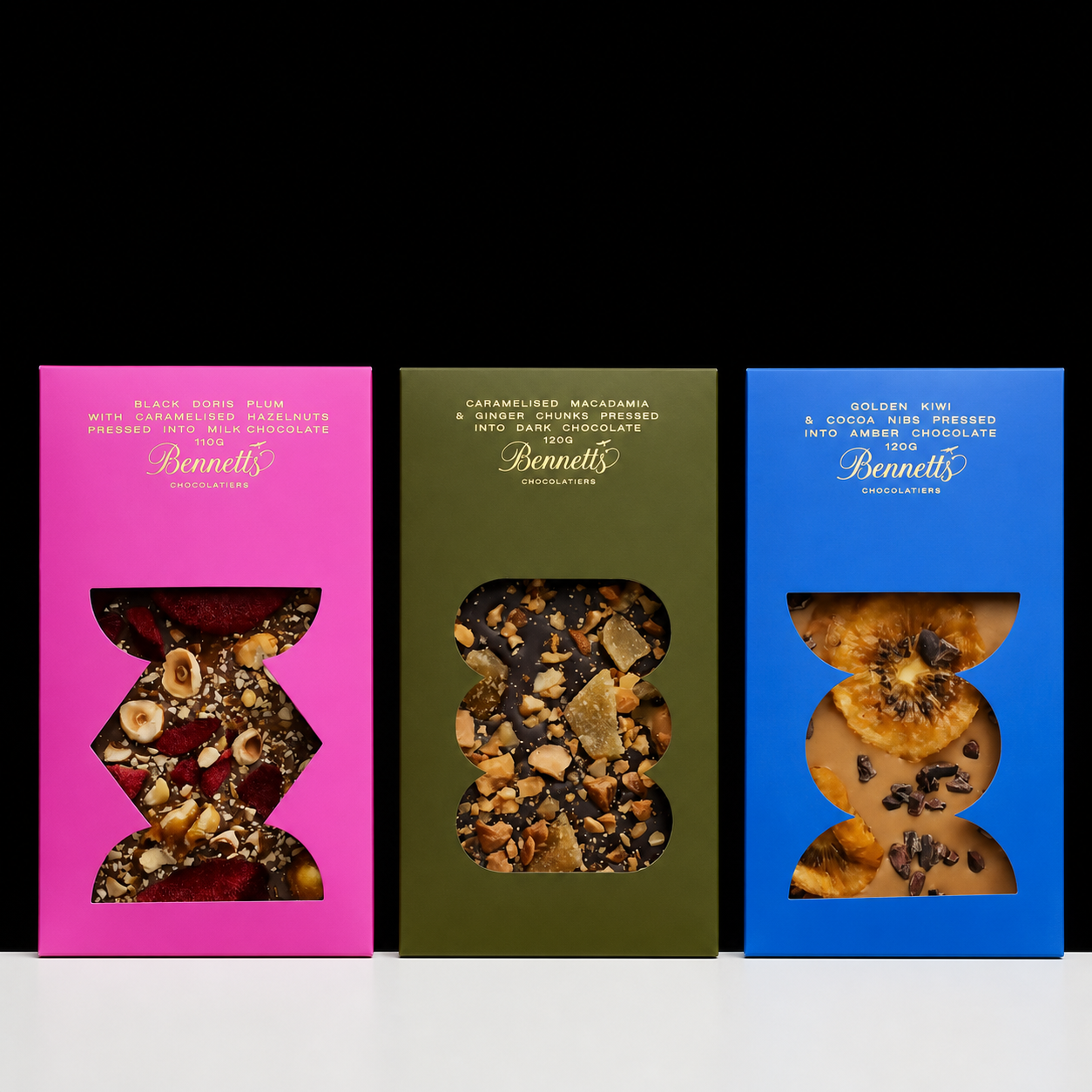
A cutting die can create:
- external carton profiles,
- windows,
- slots,
- tabs,
- holes,
- internal openings,
- locking structures,
- and other structural features.
Die cutting is often performed together with creasing so that the package can fold accurately along predetermined lines.
Die Cutting Is Not a Printing Finish
This distinction is important.
Printing creates graphics.
Finishing modifies the surface.
Die cutting changes the physical geometry of the material.
For a folding carton, the production sequence might therefore be:
Printing → Lamination → Foil Stamping → Die Cutting & Creasing → Folding → Gluing
When Is Custom Die Cutting Required?
Custom die cutting is typically required when:
- the package has a custom structure;
- a window needs a specific shape;
- an insert must hold a product precisely;
- tabs or locking mechanisms are required;
- the package includes perforations or tear features;
- a standard rectangular cut cannot create the required structure.
Die cutting can also be used for decorative purposes.
A shaped window, for example, can become part of the visual identity of the package without adding another printed color.
Die Cutting vs Laser Cutting
Conventional die cutting and laser cutting can both create shapes in sheet materials, but their production logic is different.
Die cutting uses physical tooling.
Laser cutting uses a digitally controlled laser beam.
This creates a general distinction:
| Factor | Die Cutting | Laser Cutting |
|---|---|---|
| Physical Cutting Die | Required | Not required |
| Complex Shapes | Good | Excellent for intricate geometries |
| Repeated High-Volume Production | Strong | Application-dependent |
| Setup | Tooling required | Digital file / machine setup |
| Fine Internal Details | Limited by tooling/material | Can be very precise |
| Edge Characteristics | Mechanical cut | Heat-affected edge possible depending on material |
| Best Use | Repeat packaging structures | Intricate specialty cuts, prototypes and selected materials |
Laser cutting should not automatically be considered “better” because it is digital.
For thousands of identical folding cartons, conventional die cutting can be much more practical.
For highly intricate decorative cutouts or certain low-volume specialty projects, laser cutting may offer advantages.
Tactile Specialty Processes
Flocking
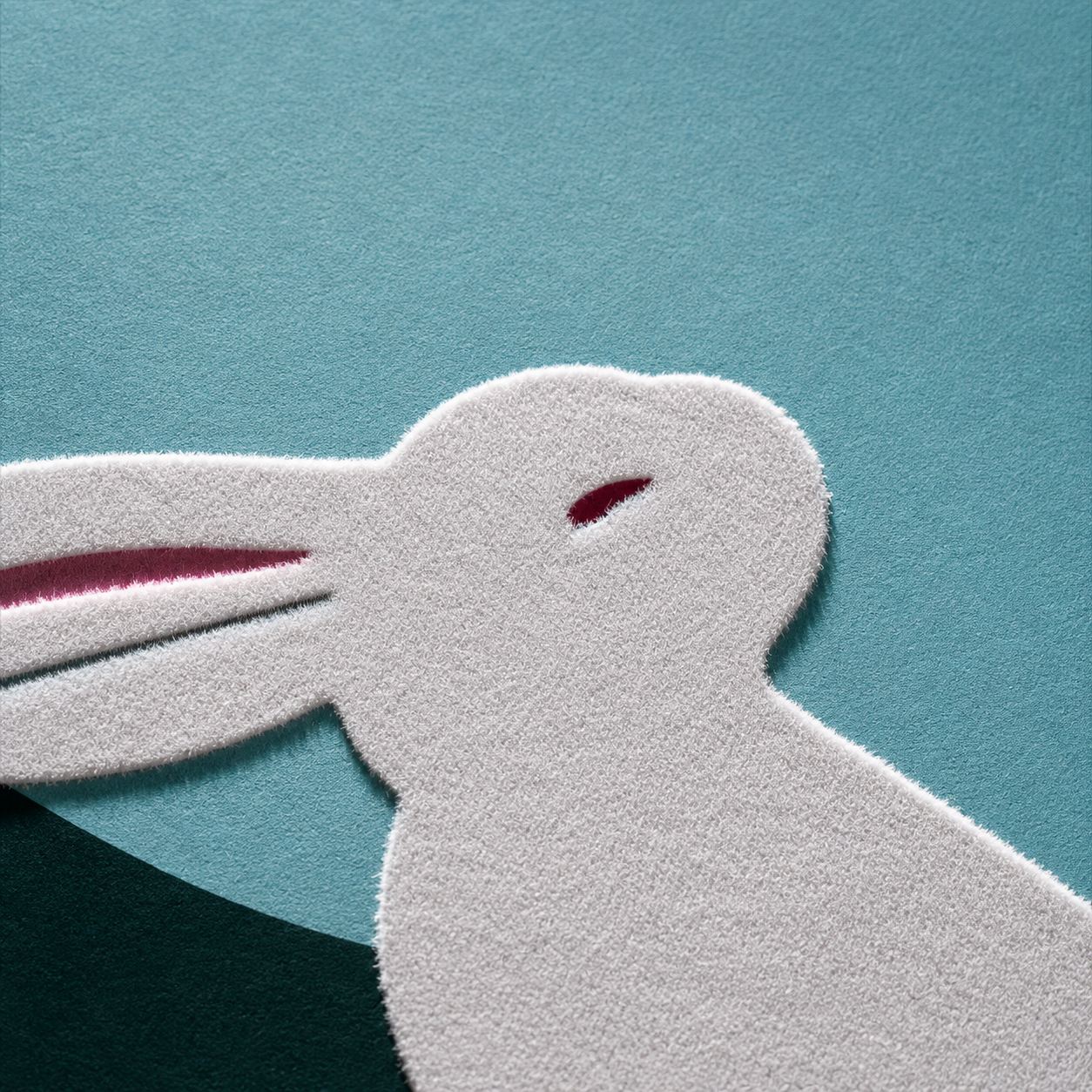
Flocking creates a soft, textile-like surface by applying very short fibers to an adhesive-coated area.
The result is often described as:
- velvet-like,
- suede-like,
- soft-touch,
- or fabric-like.
Unlike soft-touch lamination, however, flocking creates its tactile character from actual fibers standing on the surface.
This produces a much more pronounced texture.
How Flocking Works
A simplified process is:
Substrate → adhesive → flock fibers → fiber alignment/deposition → curing → removal of loose fibers
Electrostatic flocking can help orient the fibers so that they stand more vertically in the adhesive layer.
The final appearance depends on factors such as:
- fiber material,
- fiber length,
- fiber density,
- adhesive,
- substrate,
- and application method.
Where Is Flocking Used in Packaging?
Flocking can be used on:
- luxury rigid boxes,
- jewelry packaging,
- cosmetic packaging,
- presentation boxes,
- inserts,
- display components,
- and selected decorative areas.
It can cover a large surface or be applied selectively.
For example, only a logo or pattern may be flocked while the surrounding packaging remains smooth.
Flocking vs Soft-Touch Lamination
These processes can both create a softer tactile impression, but the results are fundamentally different.
| Factor | Flocking | Soft-Touch Lamination |
|---|---|---|
| Surface | Fibrous | Smooth film |
| Texture | Velvet-like / textile-like | Soft, silky |
| Visual Depth | More pronounced | Subtle |
| Fiber Layer | Yes | No |
| Large Smooth Surface | Possible but specialized | Very common |
| Selective Pattern | Possible | Normally requires additional process strategy |
| Typical Use | Specialty luxury effect | Broad premium surface finishing |
If the design requires a subtle, smooth premium feel, soft-touch lamination may be sufficient.
If it requires a visibly fibrous, velvet-like texture, flocking creates a fundamentally different result.
Laser-Based Packaging Processes
Laser Engraving
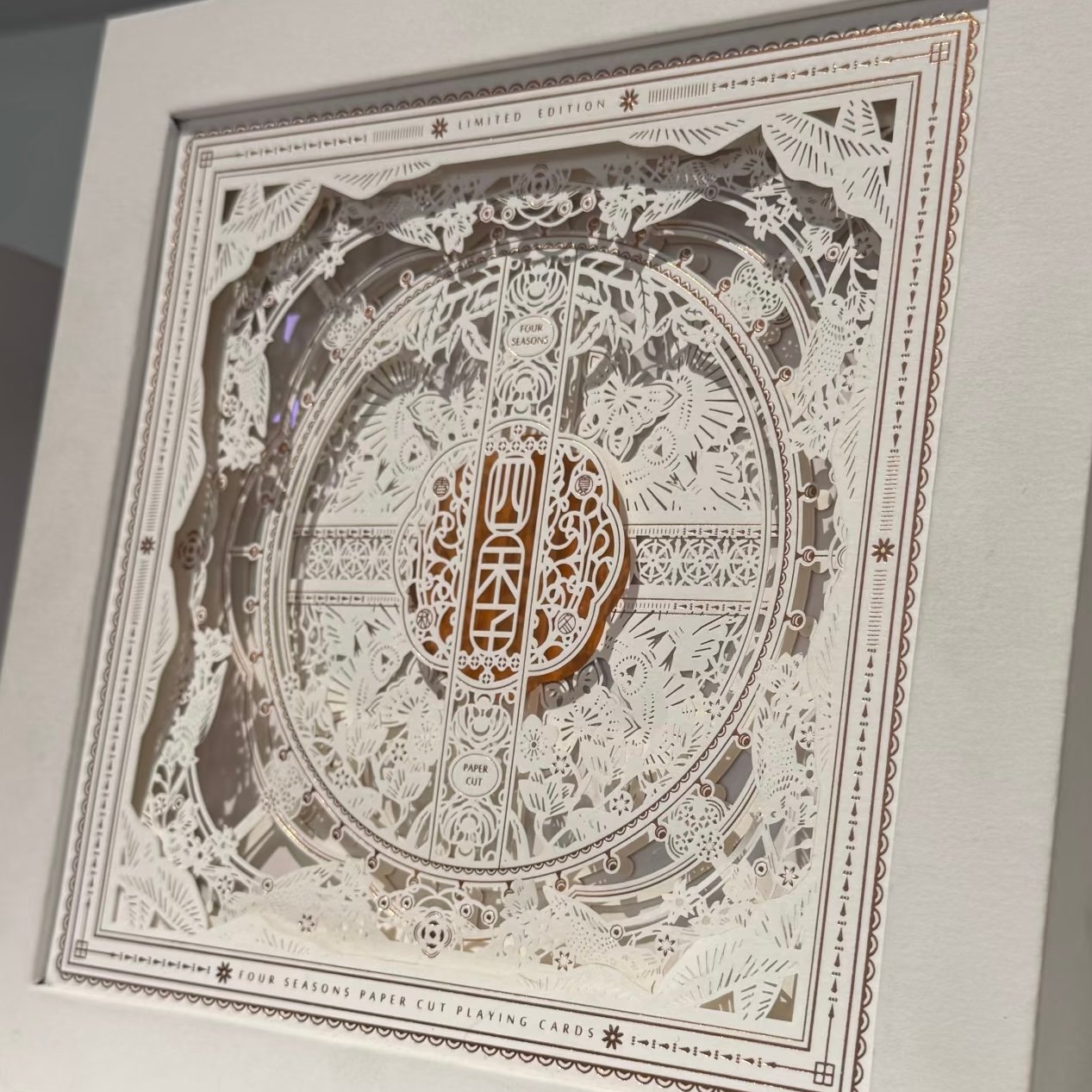
Laser engraving uses focused laser energy to remove or modify the surface of a material.
Instead of depositing ink, foil, or another decorative layer, the laser interacts directly with the substrate.
Depending on the material and laser parameters, this can create:
- text,
- logos,
- fine patterns,
- serial information,
- decorative graphics,
- and surface contrast.
Where Laser Engraving Can Be Used
Laser engraving may be suitable for selected:
- wood,
- acrylic,
- coated materials,
- paper or paperboard,
- leather-like materials,
- and other specialty packaging components.
Material compatibility must be evaluated because different substrates react differently to laser energy.
The laser may:
- remove a coating,
- darken the surface,
- expose an underlying layer,
- create a recessed mark,
- or produce another material-dependent reaction.
Laser Engraving vs Printing
The fundamental difference is simple:
Printing adds ink or another imaging material.
Laser engraving modifies the material itself.
This makes laser engraving useful when the design calls for a permanent, material-integrated mark rather than a conventional printed graphic.
Laser Engraving vs Embossing
Laser engraving and embossing can both create dimensional effects, but they work differently.
Embossing physically reshapes material using tooling and pressure.
Laser engraving removes or modifies the surface using laser energy.
Embossing is therefore especially effective for repeat raised patterns on suitable paperboard, while laser engraving can create highly detailed digitally controlled surface graphics without conventional embossing dies.
Optical Packaging Effects
Holographic Effects
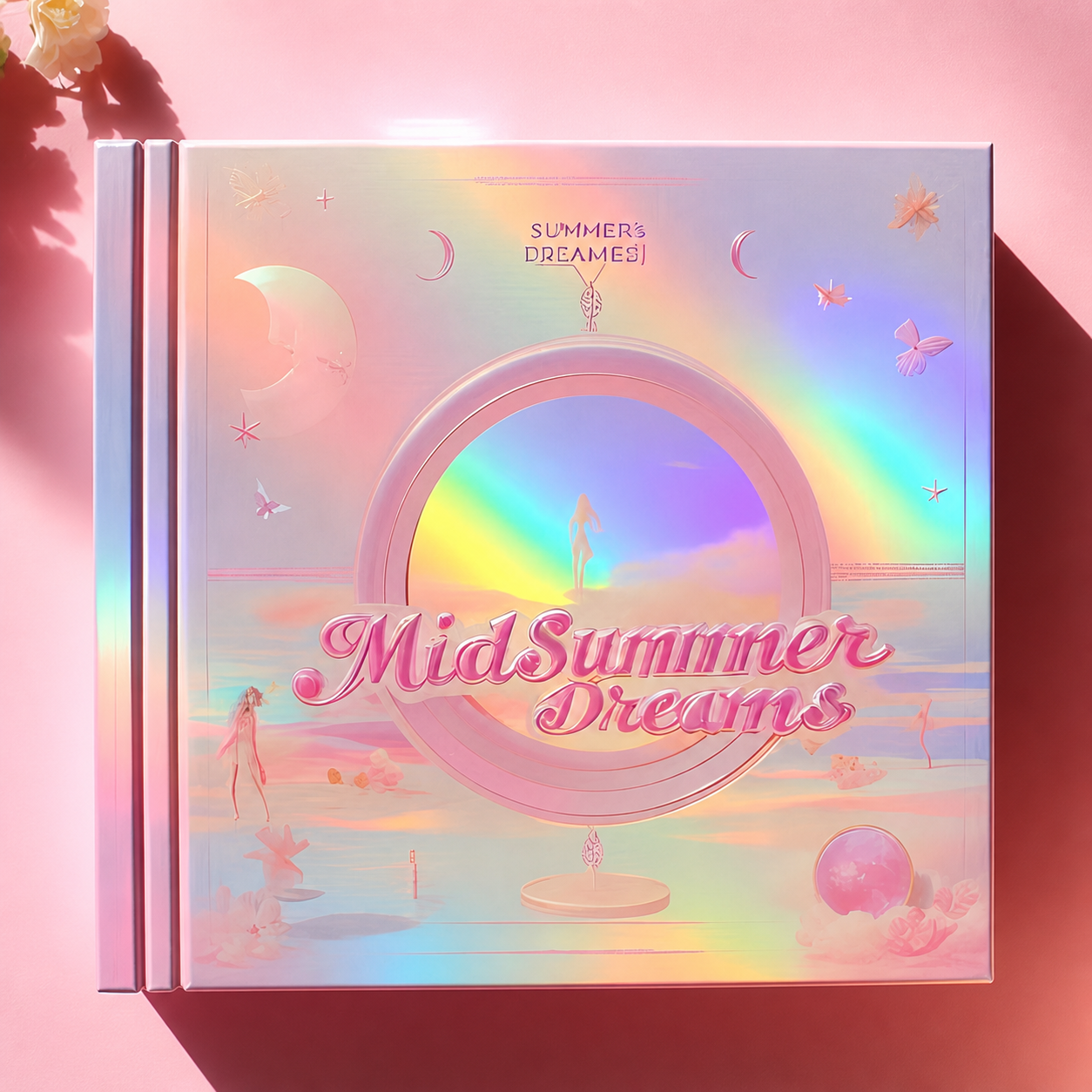
Holographic effects use optical structures that interact with light to create changing visual effects.
Depending on the material and technology, these can appear as:
- rainbow diffraction,
- shifting patterns,
- geometric reflections,
- spectral color changes,
- or dimensional-looking optical effects.
The appearance changes as either the package, viewer, or light source moves.
Holographic Film vs Holographic Foil
Not all holographic packaging is produced in the same way.
Holographic film can cover relatively large surfaces through lamination or related constructions.
Holographic foil can transfer selected holographic areas to the packaging.
A simplified choice is:
Large holographic surface → consider holographic film
Localized holographic logo or pattern → consider holographic foil
However, actual production feasibility depends on material, design, finishing sequence, and quantity.
Holographic Is Not the Same as Metallic
Metallic surfaces primarily create reflective gold, silver, or colored metallic appearances.
Holographic structures manipulate light in a more complex way and can produce changing rainbow or diffraction effects.
Likewise, printing on metallic paper is not automatically holographic.
A silver card can be reflective without producing a holographic pattern.
Interactive Visual Effects
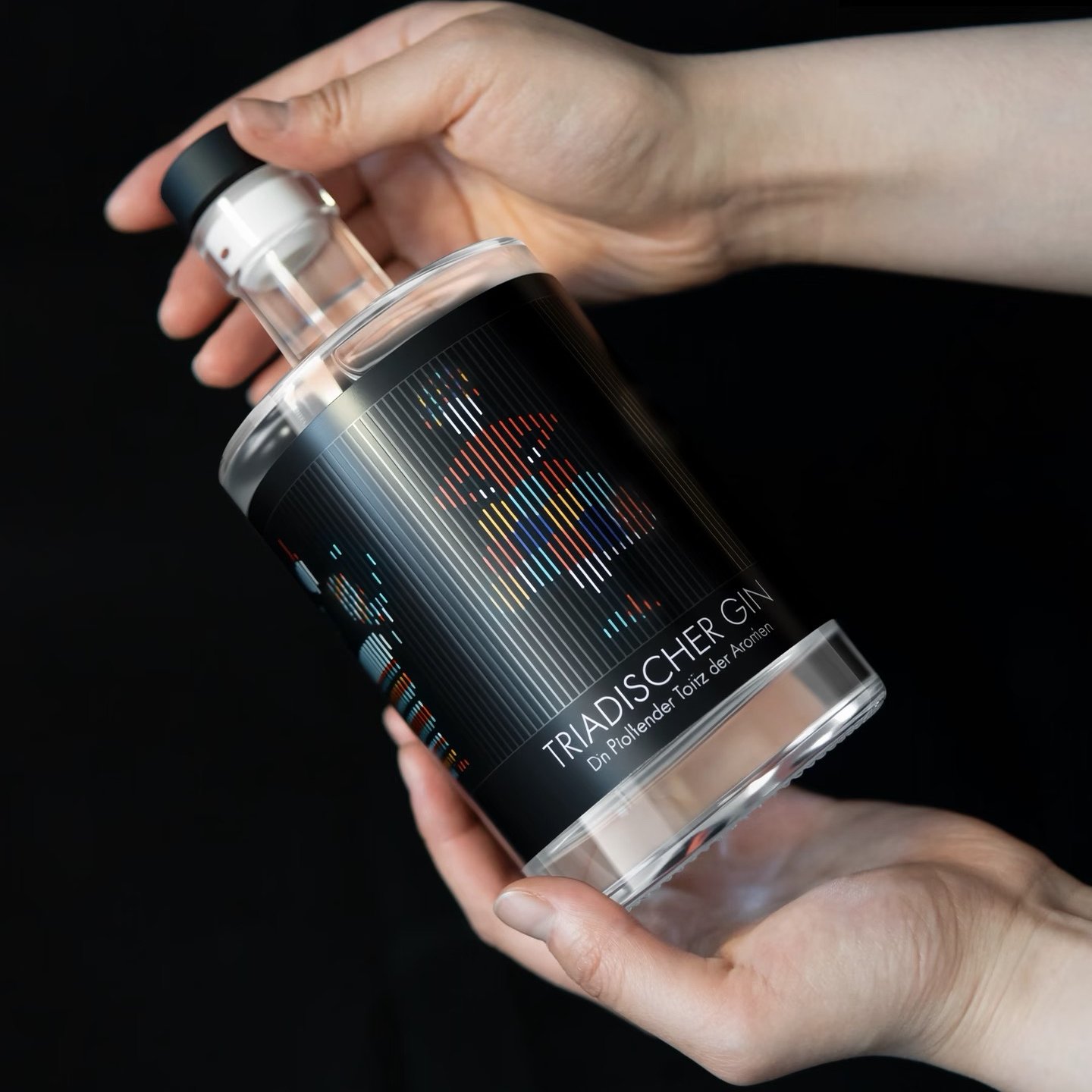
3D Lenticular Printing
3D lenticular printing creates images that appear to change depending on the viewing angle.
A lenticular structure contains many small lenses.
Specially prepared interlaced artwork is viewed through these lenses so that different image information becomes visible from different angles.
This can create effects such as:
3D Depth
Objects appear to exist at different visual depths.
Flip
The image changes from one design to another.
Motion
A sequence of images creates the impression of movement.
Zoom
An object appears to move toward or away from the viewer.
Morph
One image gradually transforms into another.
These effects make lenticular printing particularly suitable for packaging intended to attract attention through physical interaction.
3D Lenticular vs Holographic Effects
These two processes are sometimes grouped together because both change as the viewing angle changes.
But they operate very differently.
| Factor | 3D Lenticular | Holographic Effect |
|---|---|---|
| Main Principle | Lens-based image control | Optical diffraction/reflection |
| Requires Special Image Preparation | Yes | Depends on process |
| Flip Between Images | Yes | No |
| Motion Effect | Yes | Not in the same image-sequence sense |
| True Designed Depth Illusion | Possible | Different optical depth effect |
| Rainbow Diffraction | Not inherent | Common |
| Viewing-Angle Change | Yes | Yes |
| Common Purpose | Interactive imagery | Optical decoration / security / premium effect |
If a design needs one image to transform into another, lenticular is the more relevant technology.
If the goal is changing rainbow or diffraction effects, holographic techniques are more appropriate.
How to Choose a Specialty Packaging Process
Rather than starting with the process name, start with the required result.
Specialty Process Selection Guide
| If You Want... | Consider... |
|---|---|
| Custom Box Shape | Die Cutting |
| Custom Window or Opening | Die Cutting |
| Intricate Decorative Cutouts | Die Cutting or Laser Cutting |
| Velvet-Like Surface | Flocking |
| Soft Textile-Like Insert | Flocking |
| Permanent Material-Integrated Logo | Laser Engraving |
| Highly Detailed Engraved Pattern | Laser Engraving |
| Rainbow / Diffraction Effect | Holographic Effects |
| Large Holographic Surface | Holographic Film |
| Localized Holographic Logo | Holographic Foil |
| Image That Changes When Viewed from Another Angle | 3D Lenticular Printing |
| Flip Between Two Images | 3D Lenticular Printing |
| Apparent Image Depth | 3D Lenticular Printing |
This is a more useful starting point than selecting a process simply because it looks unusual.
Specialty Processes vs Conventional Packaging Finishes
There is some overlap between these categories, but their primary functions differ.
| Category | Examples | Primary Purpose |
|---|---|---|
| Printing | Offset, Digital, Flexographic, Screen | Create graphics and color |
| Protective Finishing | Lamination, Varnishing | Protect or modify surface |
| Decorative Finishing | Foil, UV, Embossing, Debossing | Add localized visual/tactile enhancement |
| Structural Processing | Die Cutting | Create package shape and structural features |
| Tactile Specialty Process | Flocking | Create fibrous surface texture |
| Laser Processing | Laser Engraving | Modify/remove material |
| Optical Process | Holographic Effects | Manipulate reflected/diffracted light |
| Interactive Imaging | 3D Lenticular | Change image according to viewing angle |
This classification is not intended to create rigid manufacturing boundaries.
For example, flocking can reasonably be described as a specialty surface finish, while holographic foil is also a type of decorative foil application.
The purpose of the categories is to help packaging buyers understand what each process actually does.
Can Multiple Specialty Processes Be Combined?
Yes, but more effects do not automatically create better packaging.
A premium package could theoretically combine:
Offset printing + matte lamination + foil stamping + embossing + die cutting + flocking + holographic elements
Technically impressive does not necessarily mean visually effective.
Each process should have a clear function.
For example:
- matte lamination establishes the base surface;
- foil creates a metallic focal point;
- embossing adds dimensional emphasis;
- die cutting creates the structure;
- flocking provides tactile contrast.
When too many decorative processes compete for attention, the packaging can lose visual hierarchy.
A more useful principle is:
Use each specialty process to solve a specific visual, tactile, structural, or functional requirement.
What Determines the Cost of Specialty Packaging Processes?
Specialty-process pricing is highly project-specific because the processes use very different equipment and tooling.
| Cost Factor | Why It Matters |
|---|---|
| Process Type | Die cutting, flocking, laser and optical processes have different cost structures |
| Quantity | Tooling/setup costs are distributed differently at different volumes |
| Packaging Size | Larger processing areas may require more material or machine time |
| Coverage Area | Particularly relevant for flocking and holographic materials |
| Artwork Complexity | Fine patterns may require greater production control |
| Tooling | Die cutting and some other processes require custom tooling |
| Material | Compatibility and cost vary substantially |
| Number of Positions | Multiple processed areas may increase setup |
| Registration | Alignment with printing and other finishes can add complexity |
| Processing Speed | Some specialty processes run much slower than conventional printing |
| Waste Rate | Complex materials/processes may require additional setup allowance |
| Sampling | Custom physical trials may be needed before mass production |
For this reason, asking:
“How much does a special process cost?”
without providing the artwork and packaging specification rarely produces a useful answer.
What Should You Provide When Requesting a Quote?
| Information | Example |
|---|---|
| Packaging Type | Rigid gift box |
| Finished Size | 220 × 160 × 70 mm |
| Quantity | 3,000 pcs |
| Material | Wrapped greyboard |
| Printing | Offset CMYK |
| Base Finish | Matte lamination |
| Specialty Process | Selective flocking |
| Process Location | Exterior lid pattern |
| Coverage | Approx. 25% of lid |
| Artwork | Separate flocking layer supplied |
| Color Requirement | Black flock |
| Sample | Custom production sample required |
| Destination | Country + postal code |
For laser, holographic, lenticular, or structural projects, additional technical information may be required.
Providing the artwork is particularly helpful because the manufacturer can evaluate whether the requested process is suitable for the design.
Frequently Asked Questions About Specialty Packaging Processes
What specialty processes can make packaging look more premium?
The answer depends on the intended visual language. Flocking can create a velvet-like tactile surface, holographic effects can add changing optical reflections, laser engraving can integrate fine graphics into the material, and lenticular printing can create interactive imagery. Premium packaging does not require the maximum number of processes—the process should support the design.
What is the difference between packaging printing and special processes?
Printing primarily creates graphics and colors using processes such as offset, digital, flexographic, and screen printing. Specialty processes can alter structure, texture, material surfaces, or optical behavior beyond conventional printing.
Is die cutting considered a printing finish?
Technically, die cutting is primarily a converting or structural process rather than a printing finish. It cuts printed materials into the shapes, windows, tabs, slots, and structures required for packaging.
What is the difference between die cutting and laser cutting?
Die cutting uses physical cutting tooling and is highly efficient for repeat production. Laser cutting uses digitally controlled laser energy and can be particularly useful for intricate patterns, prototypes, and selected specialty applications.
Is flocking the same as soft-touch coating or lamination?
No. Flocking applies short fibers to an adhesive-coated surface, creating a visibly fibrous, velvet-like texture. Soft-touch coatings and films create a smoother tactile surface without a layer of standing fibers.
Can flocking be applied only to a logo or pattern?
Yes. Selective flocking can be used to create localized tactile graphics rather than covering the entire package, depending on the artwork and production method.
Can laser engraving replace printing?
For some graphics, yes, but the effects are different. Laser engraving modifies the substrate itself, while printing deposits ink or another imaging material. Laser engraving is useful when a permanent material-integrated mark is desired.
What is the difference between holographic packaging and metallic packaging?
Metallic packaging primarily creates reflective gold, silver, or colored metallic surfaces. Holographic effects use optical structures that produce changing diffraction, rainbow, or other angle-dependent effects.
What is the difference between holographic and lenticular printing?
Holographic effects manipulate reflected or diffracted light, while lenticular printing uses a lens structure and specially prepared images to create flip, motion, morph, zoom, or depth effects. Both can change with viewing angle, but their technologies and visual results are different.
Can several specialty processes be used on the same box?
Yes, provided the materials and production sequence are compatible. However, combining more processes increases cost and complexity, and each effect should have a clear design purpose.
Choosing the Right Specialty Process for Your Packaging
Specialty packaging processes are most effective when they are selected according to the result the package needs to achieve.
Start with the objective:
Structure → Die Cutting
Velvet-like texture → Flocking
Material-integrated graphics → Laser Engraving
Changing optical reflection → Holographic Effects
Interactive changing image → 3D Lenticular Printing
Then evaluate whether the effect is compatible with the substrate, packaging structure, artwork, quantity, printing method, finishing sequence, and budget.
This approach is more reliable than selecting a special process first and trying to adapt the packaging around it.
For conventional graphic reproduction, compare our Packaging Printing Methods. For lamination, varnishing, foil stamping, embossing, debossing, and other surface treatments, see our Packaging Finishes guide.
Vigor Packaging can evaluate printing, finishing, structural processing, and specialty effects together before production.
Contact us with your packaging dimensions, quantity, artwork, and desired effect to discuss the most appropriate production method.